
Win32PrioritySeparation for Gaming: What Microsoft's Documentation Actually Says
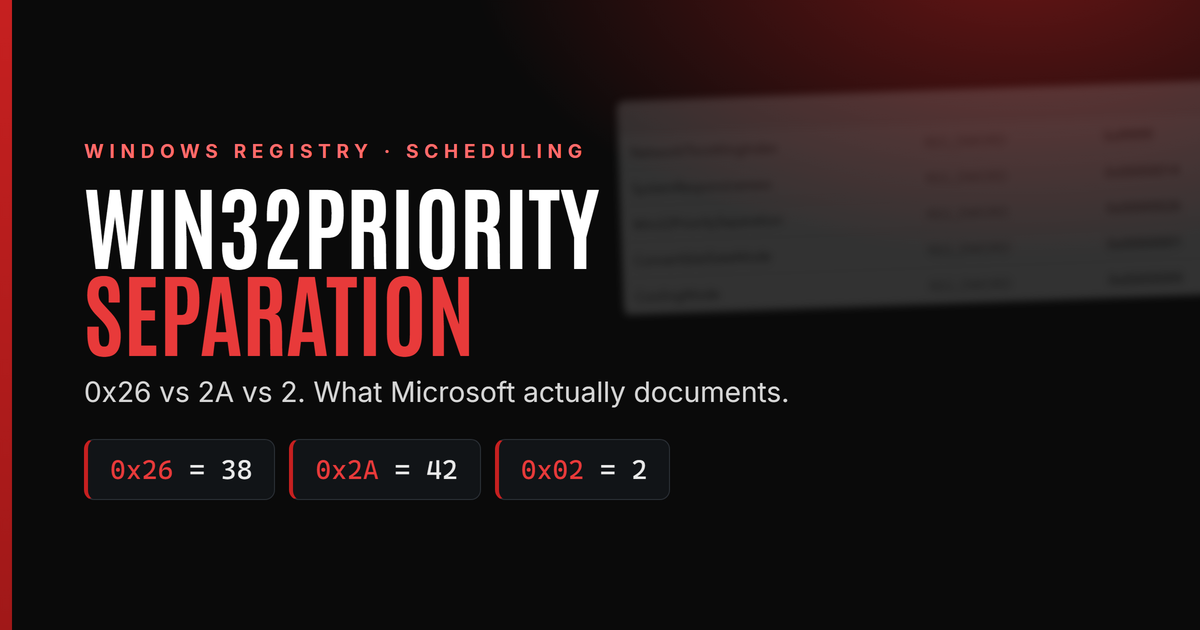
Last tested: July 13, 2026
Win32PrioritySeparation is one of the most misunderstood Windows registry settings in gaming optimization guides.
You may have seen claims that changing it to 26, 38, 0x26, 0x2A or another "secret" value will:
- Increase FPS.
- Improve 1% lows.
- Reduce input lag.
- Make mouse movement feel more responsive.
- Force games onto faster CPU cores.
The setting is real, but most of those claims go far beyond what Microsoft documents.
Win32PrioritySeparation controls part of Windows' documented foreground application boost and historical foreground/background quantum policy. It does not make the CPU faster, increase its clock speed or create additional processing capacity.
What is Win32PrioritySeparation?
Win32PrioritySeparation is a Windows registry value located here:
HKEY_LOCAL_MACHINE\SYSTEM\CurrentControlSet\Control\PriorityControl
The full value name is:
Win32PrioritySeparation
The correct spelling is Separation, not "Seperation."
The setting controls aspects of Windows processor scheduling, including the treatment given to the application in the foreground, the window you are actively using.
Microsoft's current Win32_OperatingSystem documentation maps the ForegroundApplicationBoost property directly to this registry value. It describes the foreground boost as being implemented through additional execution time slices, also known as quantum lengths.
That sounds complicated, but the basic idea is straightforward.
How Windows shares the CPU
Windows does not normally schedule an entire application as one large block of work. It schedules the application's individual threads.
A game may have separate threads handling:
- Game logic.
- Rendering preparation.
- Audio.
- Input.
- Asset streaming.
- Networking.
- Background workers.
Microsoft explains in its scheduling documentation that threads, not processes themselves, are scheduled onto processors. The Windows dispatcher considers several factors when deciding what should run, including thread priority, processor affinity, thread state and the remaining quantum.
Think of a quantum as a turn
A quantum is roughly the amount of processor time a thread can use before Windows considers allowing another ready thread at the same priority to run.
Imagine several people sharing one workstation:
- Each person represents a runnable thread.
- Priority determines who is served first.
- The quantum determines how long that person's turn lasts.
- When the turn ends, another person at the same priority may get a turn.
The analogy is simplified, because a higher-priority thread does not always wait for the current turn to finish. Microsoft documents that when a higher-priority thread becomes ready, it can immediately preempt a lower-priority thread (Microsoft: Context Switches). Threads at the same priority are generally given time slices in round-robin order.
The scheduler in five terms
A few terms make the rest of this article easier to follow:
- Runnable versus running. A running thread is executing on a CPU core right now. A runnable (ready) thread could run but is waiting for a core to become available.
- Ready queue. The set of runnable threads waiting for processor time, organized by priority.
- Dispatcher. The part of the Windows kernel that selects which runnable thread runs next and switches the core to it.
- Context switch. Saving one thread's state and loading another's so a core can move between threads. Context switches are not free, which is why quantum length involves a trade-off between responsiveness and overhead.
- Preemption. When a higher-priority thread becomes runnable, Windows can stop a lower-priority thread immediately instead of waiting for its quantum to end.
These definitions follow Microsoft's scheduling documentation and the Windows Internals descriptions of the dispatcher. In Microsoft's terms, Windows selects the highest-priority runnable thread for execution, subject to scheduler policies.
Therefore, quantum length is only one part of Windows scheduling.
Foreground does not mean "High priority"
Win32PrioritySeparation is often confused with changing a game's priority in Task Manager.
These are not the same setting.
Task Manager priority options such as Normal, Above normal and High change the process's priority class. Win32PrioritySeparation controls a broader scheduling policy involving foreground separation and quantum behavior.
Windows also applies temporary dynamic priority boosts. Microsoft's priority boost documentation says Windows can boost a foreground process, the thread receiving keyboard or mouse input, and a thread that has just completed certain waits. These boosts later decay toward the thread's base priority.
The Windows scheduler therefore considers several related but different concepts:
| Scheduler concept | What it affects |
|---|---|
| Process priority class | The base priority range used by the process |
| Thread priority | A thread's priority relative to others |
| Dynamic priority boost | A temporary increase intended to improve responsiveness |
| Quantum | How long a thread may run before an equal-priority thread gets a turn |
| Win32PrioritySeparation | Foreground separation and documented quantum-policy fields |
Changing Win32PrioritySeparation is not the same as placing a game in High or Realtime priority.
What Microsoft currently documents
There are two layers of Microsoft documentation to understand.
Current Microsoft documentation
Current Microsoft Learn pages continue to document three important points:
- Windows selects the highest-priority runnable thread for execution, subject to scheduler policies.
- Client versions of Windows generally use shorter quantums and give the foreground window a longer quantum.
- ForegroundApplicationBoost maps to the Win32PrioritySeparation registry value.
Microsoft's CPU Analysis documentation says that client systems use shorter quantums overall while providing a longer quantum to the thread associated with the current foreground window. It contrasts this with longer server quantums, which favor throughput at the expense of perceived responsiveness.
However, Microsoft's current WMI documentation marks the separate QuantumLength and QuantumType properties as not supported (Win32_OperatingSystem, Microsoft Learn).
That limitation matters.
Historical Microsoft documentation
The detailed six-bit explanation of Win32PrioritySeparation comes from Microsoft-hosted editions of Windows Internals and older Microsoft resource kit documentation. These editions document the Windows Vista, Windows 7 and Windows Server 2008-era scheduler.
Those Microsoft materials explain:
- How the six bits are divided.
- How short and long quantums are selected.
- How variable and fixed quantums are selected.
- How foreground separation is represented.
- What the Programs and Background services profiles meant.
- Why 0x26 and 2 can produce similar client behavior.
The important limitation
The historical documentation remains the best Microsoft-hosted explanation of the registry value's bit layout. But Microsoft does not currently publish an equally detailed Windows 11 scheduler contract promising that every internal detail is unchanged.
The responsible way to interpret the evidence is:
The broad foreground-scheduling behavior is still documented, and the registry mapping still exists. The exact six-bit decoder comes from older Windows Internals documentation and should not be presented as a complete guarantee of every modern Windows 11 scheduler implementation detail.
This is also why claims involving exact modern quantum durations in milliseconds should be treated carefully.
Programs versus Background services
The classic Windows Performance Options dialog offers two processor-scheduling profiles:
- Programs
- Background services

Microsoft's Windows Internals documentation describes these profiles as follows.
Programs
Programs uses:
- Short quantums.
- Variable quantum behavior.
- A longer quantum for the foreground process.
Under the historical documented configuration, the foreground quantum could be tripled relative to the normal client quantum. This was intended to make the actively used application more responsive when it competed with other equal-priority work.
Background services
Background services uses:
- Long quantums.
- Fixed quantum behavior.
- No foreground quantum-length advantage.
Longer turns reduce some context-switching overhead and can improve throughput for server-style workloads. The trade-off is reduced emphasis on interactive foreground responsiveness.
Microsoft's Windows Internals documentation describes Background services as the server-oriented profile and says the reason to select it on a workstation would be when the workstation is effectively being used as a server.
Microsoft's server guidance similarly recommends Background services for a dedicated background service workload such as BizTalk Server, not as a general gaming optimization.
Which profile makes sense for gaming?
A game is an interactive foreground program. Therefore, Programs is the profile whose documented design most closely matches an interactive gaming workload.
That does not mean switching to Programs guarantees more FPS, and it is not a recommendation. Whether either profile measurably helps your specific system is something only your own testing can answer.
How the Win32PrioritySeparation value is encoded
The six-bit decoder below comes from the Windows Vista and Windows 7 era editions of Windows Internals. It is the best Microsoft-hosted explanation of the value's layout, but it is not a published implementation contract for Windows 10 or Windows 11. With that framing, Windows Internals historically describes Win32PrioritySeparation as six meaningful bits divided into three two-bit fields:
AA BB CC
| Field | Purpose |
|---|---|
| AA | Short or long quantum selection |
| BB | Variable or fixed quantum behavior |
| CC | Foreground priority separation or quantum boost |
The documented meanings are:
First field: short or long
| Bits | Historical documented meaning |
|---|---|
| 00 | Use the operating system default |
| 01 | Long |
| 10 | Short |
| 11 | Use the operating system default |
Second field: variable or fixed
| Bits | Historical documented meaning |
|---|---|
| 00 | Use the operating system default |
| 01 | Variable |
| 10 | Fixed |
| 11 | Use the operating system default |
Third field: foreground separation
| Bits | Historical documented meaning |
|---|---|
| 00 | No separation |
| 01 | Minimum separation |
| 10 | Maximum separation |
| 11 | Invalid historically; treated as maximum |
One detail from the historical Windows Internals model is frequently overlooked: the foreground separation field lengthens the foreground quantum only when quantums are variable. With fixed quantums, foreground and background threads receive the same quantum length, and the separation field provides no foreground quantum-length advantage. This matters for popular community values such as 0x2A and 0x1A, covered below.
These fields explain why comparing the decimal values as though they were performance scores is incorrect.
A value of 40 is not automatically faster than 38. A value of 38 is not necessarily faster than 2.
They are bit patterns, not levels on a performance slider.
What does 0x26 mean?
0x26 is hexadecimal.
Its six relevant bits are:
10 01 10
That decodes as:
- 10 = short
- 01 = variable
- 10 = maximum foreground separation
Therefore:
0x26 hexadecimal = 38 decimal
The historical Windows Internals documentation identifies hexadecimal 26 as the value associated with the Programs profile in that era's scheduler model.
Programs profile
| Format | Value |
|---|---|
| Hexadecimal | 0x26 |
| Decimal | 38 |
| Binary | 100110 |
| Profile | Short, variable, maximum foreground separation |
This is the source of most recommendations to set Win32PrioritySeparation to "26."
But there is a serious base-conversion trap.
Hexadecimal 26 is not decimal 26
Regedit allows you to enter a value as either hexadecimal or decimal.
These two entries are not equivalent:
- 26 hexadecimal = 38 decimal
- 26 decimal = 1A hexadecimal
The difference is important.
| What you enter | Stored value | Relevant binary bits | Decoded profile |
|---|---|---|---|
| 26 with Hexadecimal selected | 0x26 / decimal 38 | 10 01 10 | Short, variable, maximum separation |
| 38 with Decimal selected | 0x26 / decimal 38 | 10 01 10 | Short, variable, maximum separation |
| 26 with Decimal selected | 0x1A / decimal 26 | 01 10 10 | Long, fixed, maximum separation field |
Therefore:
The documented Programs value is hexadecimal 26, which is decimal 38. It is not decimal 26.
Entering decimal 26 does not produce the Programs profile. Worse, because 0x1A selects fixed quantums, its maximum-separation field provides no foreground quantum-length boost under the historical Windows Internals model, so decimal 26 effectively behaves as a long, fixed profile.
What does 0x18 mean?
Using Microsoft's documented bit fields, the Background services combination is:
01 10 00
That means:
- 01 = long
- 10 = fixed
- 00 = no foreground separation
The resulting value is:
0x18 hexadecimal = 24 decimal
Background services profile
| Format | Value |
|---|---|
| Hexadecimal | 0x18 |
| Decimal | 24 |
| Binary | 011000 |
| Profile | Long, fixed, no foreground quantum advantage |
This value is derived directly from the historical Windows Internals field layout. Those Microsoft materials describe the Background services combination as long, fixed quantums without a foreground quantum-length change.
For an ordinary gaming desktop, this is not the profile that best matches Microsoft's interactive client design.
What does a value of 2 mean?
A value of decimal 2 is:
- 0x02 hexadecimal
- 00 00 10 binary fields
That decodes as:
- 00 = use the operating system default quantum length
- 00 = use the operating system default quantum type
- 10 = maximum foreground separation
Microsoft's sixth-edition Windows Internals sample states that client systems initially used a registry value of 2. The first two fields deferred to the system's client defaults, while the final field selected maximum priority separation.
Under that documented client model, the defaults were:
- Short quantums.
- Variable quantums.
- Maximum foreground separation.
Is 2 worse than 38?
Not necessarily.
Compare the two values:
- 0x02 = default, default, maximum separation
- 0x26 = short, variable, maximum separation
On the client systems described by Microsoft, the default selections used by 0x02 were already short and variable. As a result, 0x02 and 0x26 resolved to the same broad client scheduling profile.
The difference was that:
- 0x02 relied on operating-system defaults.
- 0x26 explicitly requested short and variable behavior.
This means changing a system from 2 to 38 may not change its effective scheduling behavior at all.
A higher decimal number does not mean a stronger optimization.
Important modern caveat
The value of 2 is documented as the initial client value in older Windows Internals material. That should not be interpreted as a promise that every Windows 10 or Windows 11 installation must display 2. Windows editions, upgrades, policies, OEM configurations and previous user changes can produce different registry states.
What does 0x2A mean?
0x2A is currently one of the most recommended values in enthusiast latency guides, particularly for AMD X3D gaming systems.
Its six relevant bits are:
10 10 10
That decodes as:
- 10 = short
- 10 = fixed
- 10 = maximum foreground separation
0x2A profile
| Format | Value |
|---|---|
| Hexadecimal | 0x2A |
| Decimal | 42 |
| Binary | 101010 |
| Profile | Short, fixed, maximum separation field |
Here is the detail most guides omit: because 0x2A selects fixed quantums, the maximum-separation field does not lengthen the foreground quantum under the historical Windows Internals model. The foreground quantum-length boost is applied through the variable-quantum mechanism.
In practice, 0x2A therefore means: every thread receives the same short quantum, and the foreground application receives no quantum-length advantage over background work. That said, 0x2A removes the documented foreground quantum-length advantage without disabling or replacing other scheduler mechanisms such as dynamic priority boosts, MMCSS, QoS and Game Mode. It does not switch off foreground scheduling as a whole.
Under the historical Windows Internals table, 0x2A selects the short fixed row. That means foreground and background threads receive the same short-profile fixed quantum rather than a foreground/background quantum ratio. This should not be described as a stronger foreground boost or as universally more responsive; it is simply a different fixed-quantum policy that must be measured on the target workload. Microsoft does not document 0x2A as a gaming or low-latency preset.
If you want to try 0x2A, treat it as a candidate for controlled A A A B B B A A A testing on your own system, not as a proven upgrade over 0x26 or the Windows default.
Are 6, 12 and 18 milliseconds?
No.
Microsoft's WMI page associates foreground boost levels with the numbers 6, 12 and 18 (Win32_OperatingSystem, Microsoft Learn), while Windows Internals places those values in scheduler quantum tables. The Internals documentation explains that the stored table units used by those Windows versions represented fractions of a clock tick.
They should not be presented as universal values such as:
- 6 ms
- 12 ms
- 18 ms
Similarly, claims that every modern Windows gaming system uses an exact 31.25 ms, 62.5 ms or 187.5 ms quantum are unreliable unless they are supported by measurements from that specific Windows version and hardware configuration.
Microsoft's current CPU documentation simply states that quantum durations can differ between client and server configurations. It does not provide one universal millisecond value for every modern PC.
Does Win32PrioritySeparation increase FPS?
Microsoft's documentation does not promise an FPS increase from changing this setting.
Win32PrioritySeparation changes how Windows distributes processor turns. It does not increase the total amount of CPU performance available.
It does not directly change:
- CPU clock speed.
- CPU core count.
- Memory frequency.
- GPU performance.
- Render resolution.
- Network latency.
- Shader-compilation behavior.
- Storage speed.
Any gaming improvement must therefore come from a better distribution of existing CPU time.
Win32PrioritySeparation is rarely the primary performance bottleneck on modern Windows systems, which is why full-system PC optimization should assess more than one registry setting. In most gaming workloads, CPU architecture, game-engine threading, power management, driver behavior, GPU utilization and frame pacing have a significantly larger effect on performance than processor quantum policy.
When it could make a difference
A scheduling change is most likely to matter when:
- The game is CPU-limited.
- Several runnable threads are competing for the same logical processors.
- Background applications are consuming meaningful CPU time.
- An important game thread spends too much time ready but waiting to run.
- The original processor-scheduling configuration was inappropriate or had been changed previously.
Under the scheduler model documented in Windows Internals, a foreground process configured for longer variable quantums can receive proportionally more processor time than equal-priority background work when both are competing for the CPU.
From that documented mechanism, it is reasonable to infer that foreground scheduling can affect a game under heavy CPU contention.
That is still not a guarantee that average FPS, 1% lows or latency will improve.
When it is unlikely to help
The setting is less likely to matter when:
- The game is GPU-limited.
- The CPU has substantial unused capacity.
- There is little competing background work.
- The existing setting already resolves to the Programs behavior.
- Stuttering is caused by shader compilation, asset loading, drivers or thermal throttling.
For example, changing from 0x02 to 0x26 on a client system may merely replace an implicit short-and-variable policy with the same policy expressed explicitly.
There would be no reason to expect a significant performance change in that case.
Scheduling is also only one layer of Windows performance tuning. Power management settings can matter as much or more on some systems. See our guide to Simple Power Plan Manager and Windows power plan tuning for that side of the equation.
Does it reduce input lag?
Win32PrioritySeparation is not a direct input-latency control.
Microsoft does document several scheduling behaviors intended to maintain responsiveness:
- The foreground application can receive favorable scheduling treatment.
- A thread that owns a window receiving keyboard or mouse input can receive a temporary dynamic priority boost.
- Client systems generally use shorter quantums than server systems (CPU Analysis, Microsoft Learn).
- Foreground work can receive a longer quantum.
These mechanisms can affect how quickly an input-processing or game thread gets CPU time when the processor is busy.
However, total gaming input latency also depends on:
- The mouse polling and input path.
- The game engine.
- Frame rate.
- Frame pacing.
- The rendering queue.
- GPU load.
- Display presentation mode.
- Refresh rate.
A scheduler registry setting cannot control all of those stages.
The accurate conclusion is:
Win32PrioritySeparation could influence responsiveness under CPU contention, but Microsoft does not document a guaranteed mouse-to-photon latency reduction from setting a particular registry value.
Subjective mouse feel is not sufficient evidence. A blind or instrumented comparison is much more reliable.
What about streaming, recording and Discord?
Gaming while streaming is a mixed workload.
The foreground game may benefit from the Programs profile, while a CPU-based encoder, capture application or background stream could require consistent processor time of its own.
A stronger foreground preference can create a trade-off:
- The game may receive more favorable treatment.
- Background encoding or capture work may receive less favorable treatment.
- Background services may make background work more uniform, but remove the foreground quantum advantage.
There is no universal answer for this workload.
The correct test is not to benchmark the game by itself. Test the full workload:
Game + OBS + encoder + browser sources + Discord + overlays
Compare both game frame times and stream quality.
Does Win32PrioritySeparation control P-cores and E-cores?
No.
Win32PrioritySeparation is not a processor-affinity setting and does not directly pin a game to performance cores.
Microsoft's current Quality of Service documentation explains that scheduling priority remains the main factor in choosing which thread runs next. QoS can also influence processor power management and core selection on heterogeneous processors. Microsoft documents that foreground and in-focus windowed applications are generally associated with High QoS.
Modern Windows scheduling therefore includes mechanisms that did not exist in the same form when the older Win32PrioritySeparation documentation was written.
Win32PrioritySeparation does not directly:
- Force a game onto P-cores.
- Prevent a game from using E-cores.
- Set processor affinity.
- Disable core parking.
- Select a Windows power plan.
- Replace Windows QoS policy.
- Override every decision made by the modern scheduler.
Any optimization guide claiming that 0x26, 0x2A or another value directly forces performance-core scheduling is misrepresenting the setting.
Modern Windows scheduling
Win32PrioritySeparation is one small dial inside a much larger machine. Modern Windows contains several scheduling mechanisms that did not exist in the same form when the Windows Internals editions describing the six-bit decoder were written.
A simplified view of where the setting sits:
        Input (mouse, keyboard)

                  |

                  v

             Game threads

                  |

                  v

    MMCSS registration)

                  |

                  v

  Windows scheduler (priority, boosts, QoS)

                  |

                  v

Foreground separation / quantum policy

        <-- Win32PrioritySeparation is mapped here

                  |

                  v

   Processor selection / core placement
The diagram is a simplification, but it makes the key point visible: Win32PrioritySeparation is mapped to foreground application boost and historically controls parts of the foreground separation and quantum policy. It is still only one input among many modern scheduling mechanisms.
MMCSS and games
Dedicated guide: MMCSS Explained: Multimedia Class Scheduler Service
The Multimedia Class Scheduler Service (MMCSS) allows registered multimedia threads to receive scheduling treatment intended for latency-sensitive workloads. Microsoft's MMCSS documentation describes how applications register threads through the AvSetMmThreadCharacteristics API using task categories such as Games, Audio and Pro Audio.
Many game engines and audio stacks register important threads this way. Those threads receive their scheduling treatment from MMCSS independently of Win32PrioritySeparation.
Windows Game Mode
Dedicated guide: Windows Game Mode Explained
Game Mode is designed to optimize the system for gaming by reducing some background activity and helping Windows prioritize the game workload. Changing Win32PrioritySeparation does not disable, replace or override Game Mode.
Quality of Service and EcoQoS
Dedicated guide: Windows QoS and EcoQoS Explained
Microsoft's Quality of Service documentation, linked earlier, describes QoS levels that influence both scheduling and processor power management. Microsoft documents that foreground and in-focus windowed applications are generally associated with High QoS. EcoQoS is the documented efficiency level: work marked EcoQoS can run at lower clock speeds or on more efficient cores to save power, which keeps background tasks out of the foreground application's way through a mechanism that has nothing to do with quantum policy.
Hybrid CPUs: P-cores, E-cores and Thread Director
On hybrid processors, where a thread runs matters as much as when it runs. Windows 11 decides core placement using QoS information plus hardware feedback. On Intel hybrid CPUs, that feedback comes from Intel Thread Director, which tells the scheduler which cores currently suit each kind of work. On some AMD dual-CCD X3D systems, preferred-core and CCD-selection behavior depends on platform firmware, chipset drivers, Windows scheduling policy, and CPPC (Collaborative Processor Performance Control) related information. The important point here is simpler: none of that placement logic is controlled directly by Win32PrioritySeparation, and none of it existed in this form when the six-bit decoder was documented.
Is Win32PrioritySeparation still relevant on Windows 11?
Microsoft's current documentation still maps ForegroundApplicationBoost to the Win32PrioritySeparation registry location. Current Microsoft CPU documentation also continues to describe shorter client quantums and favorable treatment for the foreground window.
At the same time, Microsoft marks the standalone WMI properties for QuantumLength and QuantumType as unsupported. The detailed six-bit explanation is found in older Windows Internals documentation rather than a current Windows 11 scheduler specification.
The most accurate answer is:
The setting remains documented and mapped, but Microsoft does not publish a complete modern Windows 11 bit-by-bit implementation contract equivalent to the older Windows Internals explanation.
Therefore, the historical decoder is useful for understanding established values such as 0x26, 0x2A, 0x18 and 0x02. It should not be used to invent highly specific Windows 11 latency claims that Microsoft has never documented.
What the documented values mean for gaming
There is no universally best value, and we are not going to hand you one. The right configuration depends on your hardware, your Windows version and your workload, and the only way to know what works on your PC is to test it yourself. What we can do is summarize what the documentation actually says about each value, so your testing starts from facts instead of forum folklore.
What Programs represents
Programs is the Windows profile designed around interactive foreground applications.
In the historical Windows Internals model, it uses:
- Short quantums
- Variable quantums
- Maximum foreground separation
Its explicit historical registry value is:
- 0x26 hexadecimal
- 38 decimal
Do not change 2 merely because 38 looks higher
Under Microsoft's documented client defaults:
- 0x02 = use client defaults + maximum separation
- 0x26 = explicitly select short, variable + maximum separation
Those values can resolve to the same broad scheduling policy.
Do not use decimal 26
Decimal 26 is 0x1A, not 0x26.
It selects a different combination:
- Long
- Fixed
- Maximum separation field (which provides no foreground quantum-length boost with fixed quantums)
Do not assume 0x2A beats 0x26
0x2A (decimal 42) selects short, fixed quantums. Because the foreground quantum-length boost only applies with variable quantums in the historical model, 0x2A removes the documented foreground quantum-length advantage rather than strengthening it, while other mechanisms such as dynamic priority boosts, MMCSS, QoS and Game Mode continue to operate. Treat it as a testing candidate, not a proven upgrade.
Do not use Background services as a universal gaming tweak
Background services is the long, fixed, server-oriented profile. Microsoft's documentation does not present it as the preferred configuration for interactive gaming.
Do not assume a custom value is better
Microsoft documents additional combinations as technically possible through direct registry editing, but it does not recommend a custom Win32PrioritySeparation value as a universal gaming or low-latency preset.
Quick reference table
| Registry value | Decimal | Documented interpretation | Notes |
|---|---|---|---|
| 0x02 | 2 | System defaults, maximum separation | Documented initial client value in older Windows versions |
| 0x26 | 38 | Short, variable, maximum separation | Explicit Programs profile |
| 0x2A | 42 | Short, fixed, separation field 2 (no foreground quantum-length boost with fixed quantums) | Popular community value; verify with A A A B B B A A A testing before keeping |
| 0x18 | 24 | Long, fixed, no foreground separation | Server/background-service profile |
| 0x1A | 26 | Long, fixed, separation field 2 (no foreground quantum-length boost with fixed quantums) | Not the Programs profile |
| Other custom values | Varies | Custom field combinations | Only meaningful with controlled testing on your own system |
How to check your current value
You can read the setting without changing it.
Open Command Prompt and run:
reg query "HKLM\SYSTEM\CurrentControlSet\Control\PriorityControl" /v Win32PrioritySeparation
Example output:
HKEY_LOCAL_MACHINE\SYSTEM\CurrentControlSet\Control\PriorityControl

    Win32PrioritySeparation    REG_DWORD    0x26

The result is displayed in hexadecimal. 0x26 is decimal 38, and 0x2 is decimal 2.
How to select Programs safely
Using the Windows interface is preferable to entering an unexplained registry number.
- Press Windows + R.
- Enter:
sysdm.cpl - Open the Advanced tab.
- Under Performance, select Settings.
- Open the Advanced tab in Performance Options.
- Under Processor scheduling, select Programs.
- Apply the change.
This is the interface described in Microsoft's Windows Internals and server-performance documentation for choosing between Programs and Background services.
The older Windows Internals documentation states that changes made through this interface took effect immediately on the documented versions. For controlled benchmarking, restarting between configurations is still sensible because it gives each test a clean and repeatable starting state.
Why modern benchmarking matters
Because modern Windows layers MMCSS, QoS, EcoQoS, Game Mode and hybrid core placement on top of the quantum policy, decoding a registry value on paper cannot tell you how your system will behave. A bit pattern that mattered on a Vista-era scheduler may be reshaped, complemented or outweighed by mechanisms added since.
That is why any Win32PrioritySeparation change should be validated with measurements rather than theory:
- Windows Performance Recorder to capture a trace while you play.
- Windows Performance Analyzer to inspect CPU usage, thread states and scheduling behavior inside that trace.
- ETW (Event Tracing for Windows), the data source underneath both tools, which records what the scheduler actually did.
- PresentMon or CapFrameX to measure frame times and frame pacing the way the player experiences them.
If the trace and the frame-time data do not improve, the registry change did not help, no matter how good the bit pattern looks on paper.
How to benchmark the setting properly
Win32PrioritySeparation should be evaluated with controlled testing, not by immediately deciding that the desktop or mouse "feels smoother."
Use an A A A B B B A A A process:
- A A A: Run the original value three times.
- B B B: Run the candidate value three times.
- A A A: Run the original value three more times.
Comparing three runs per configuration, and returning to the original value at the end, shows you both the real difference between the two settings and how much your system varies between identical runs.
Keep the test conditions constant
Use the same:
- Windows build.
- BIOS configuration.
- CPU and GPU settings.
- Game version.
- Graphics settings.
- FPS cap.
- Benchmark route.
- Background applications.
- Power mode.
- Room and component temperatures.
Test a workload where scheduling could matter
A GPU-limited scene with low CPU utilization is a poor test of a CPU scheduling policy.
More useful tests include:
- A CPU-limited game.
- Gaming while recording.
- Gaming while CPU encoding.
- Gaming with active browser and voice-chat workloads.
- A deliberately created CPU-contention scenario.
Use Windows performance tracing when necessary
Microsoft's Windows Performance Recorder records system and application activity through Event Tracing for Windows. The trace can then be examined in Windows Performance Analyzer to investigate CPU usage, thread states and scheduling behavior.
This is much more informative than relying only on Task Manager's total CPU percentage.
A game thread can experience scheduling delays even when the total CPU graph does not show 100% usage across every logical processor.
If you would rather have this measured and configured properly instead of testing it yourself, this is exactly the kind of work covered by our PC optimization services.
Common Win32PrioritySeparation myths
"A higher value is faster"
False.
Win32PrioritySeparation is a bit field. The number represents a combination of scheduling options, not a performance percentage.
"The best value is decimal 26"
False.
The Programs profile is 0x26 hexadecimal, which equals decimal 38.
Decimal 26 is 0x1A, a different profile.
"Changing 2 to 38 gives a stronger boost"
Not necessarily.
Under Microsoft's documented client behavior, 2 can defer to the same short-and-variable defaults that 38 selects explicitly.
"0x2A is proven best for gaming"
Unproven.
0x2A selects fixed quantums, which removes the documented foreground quantum-length boost without disabling or replacing mechanisms such as dynamic priority boosts, MMCSS, QoS and Game Mode. Individual systems may still respond differently, which is why controlled testing matters.
"Background services gives the game more CPU"
That is not how Microsoft documents the profiles.
Programs favors the interactive foreground process. Background services uses long, fixed quantums without the foreground quantum-length change.
"It forces games onto P-cores"
False.
Microsoft documents QoS, priority, affinity and heterogeneous scheduling as separate considerations. Win32PrioritySeparation is not a P-core affinity switch.
"It directly lowers mouse latency"
Unproven.
It can affect foreground scheduling under contention, but Microsoft does not document a guaranteed end-to-end input-latency reduction.
Frequently asked questions
What is the best Win32PrioritySeparation value for gaming?
We do not suggest any value. There is no number that is best for every PC, and anyone claiming otherwise is guessing on your behalf. Do your own research: read what Microsoft actually documents, test candidate values on your own hardware with a controlled process, and keep only what your measurements support.
Is Win32PrioritySeparation 26 hexadecimal or decimal?
The Programs value is hexadecimal 26: 0x26 hex = 38 decimal. Do not enter 26 with Decimal selected.
Is 0x2A better than 0x26?
Not according to the historical Windows Internals model. 0x2A selects short, fixed quantums, and the foreground quantum-length boost only applies with variable quantums, so 0x2A removes the documented foreground quantum-length advantage that 0x26 provides. It does not disable or replace other mechanisms such as dynamic priority boosts, MMCSS, QoS and Game Mode. Some systems may still respond differently in practice, which is why controlled testing on your own hardware is the only reliable way to decide.
Will 0x26 increase FPS?
Not automatically. It may affect scheduling when a CPU-limited game is competing with background work. It cannot add processing capacity, and it may do nothing when the existing setting already produces the same policy.
Can Background services improve streaming?
Possibly, but it can also reduce the foreground game's scheduling advantage. Test the game and stream together rather than assuming either profile is universally superior.
Does the setting require a restart?
Older Microsoft documentation says changes through Performance Options took effect immediately on the covered versions. Restarting remains advisable between benchmark configurations to provide a consistent starting state.
Does it work on Windows 11?
Current Microsoft documentation still maps foreground application boost to the Win32PrioritySeparation registry value. However, the full six-bit explanation comes from older Windows Internals material, and the separate current WMI properties for quantum length and type are marked unsupported. The setting remains relevant, but highly specific Windows 11 gaming claims require measurement rather than assumption.
Final verdict
Win32PrioritySeparation is a genuine Windows scheduling control. It is not a hidden CPU performance multiplier.
Microsoft's documentation supports the following conclusions:
- Windows schedules threads rather than entire applications.
- The scheduler selects the highest-priority runnable thread, subject to scheduler policies.
- Client Windows favors interactive foreground work.
- In the historical Windows Internals scheduler model, Programs uses short, variable quantums.
- Background services uses long, fixed quantums.
- The Programs profile is represented by 0x26 hexadecimal, or decimal 38, in Microsoft's historical scheduler documentation.
- A client value of 2 can resolve to the same broad behavior by relying on operating-system defaults.
- Decimal 26 is not the Programs value.
- In the historical Windows Internals model, the foreground quantum-length boost applies only with variable quantums, which is why fixed-quantum values such as 0x2A and 0x1A forfeit it.
- Microsoft does not promise an FPS or input-latency improvement from manually changing the registry.
- The detailed bit layout is historical documentation, not a complete public contract for every current Windows 11 build.
Related FPSHeaven guides
- Windows Network Optimization for Gaming
- Receive Side Scaling and ISR/DPC Placement in Windows
- Interrupt Moderation for Gaming
- FPSHeaven Windows Performance Power Plan
Sources & References
The technical claims in this guide are backed by the official documentation below and validated against our own testing.
- Microsoft — Context Switches - Win32 apps | Microsoft Learn
- Microsoft — Win32_OperatingSystem class - Win32 apps | Microsoft Learn
- Microsoft — CPU Analysis | Microsoft Learn